
Pour lancer une pétition, suivez ces étapes :
Bonne chance dans votre démarche !
MesOpinions é uma ferramenta de mobilização cidadã aberta a todos. Ela permite que cada cidadão inicie sua luta e chame a atenção da opinião pública. Se desejar, você pode iniciar sua petição clicando aqui: Criar minha petição
Como acessar meu painel de controle?
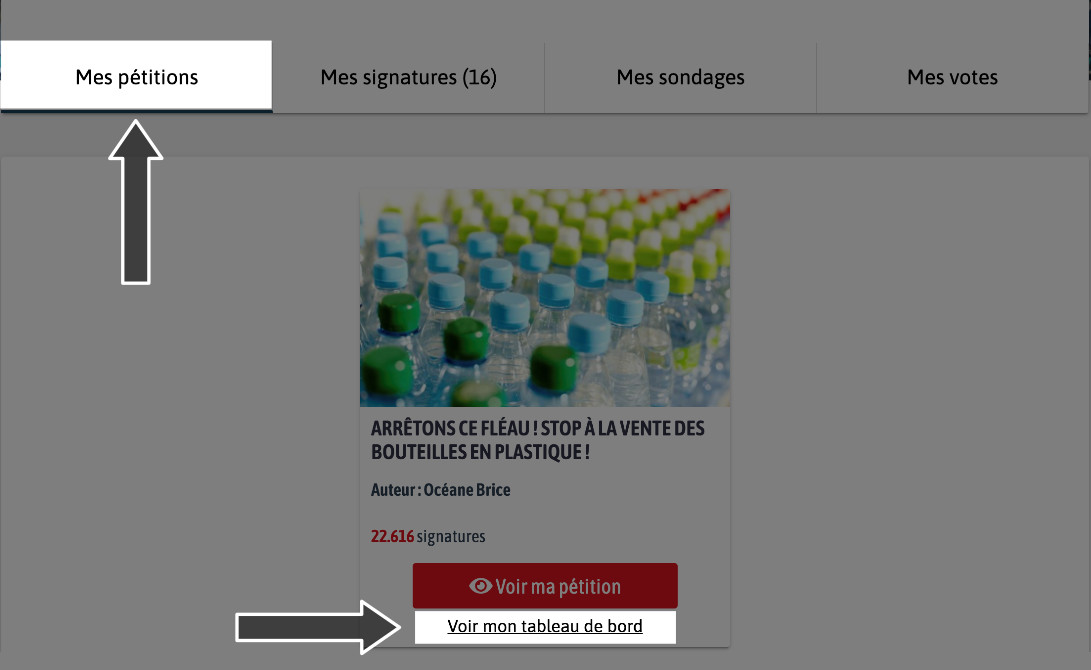
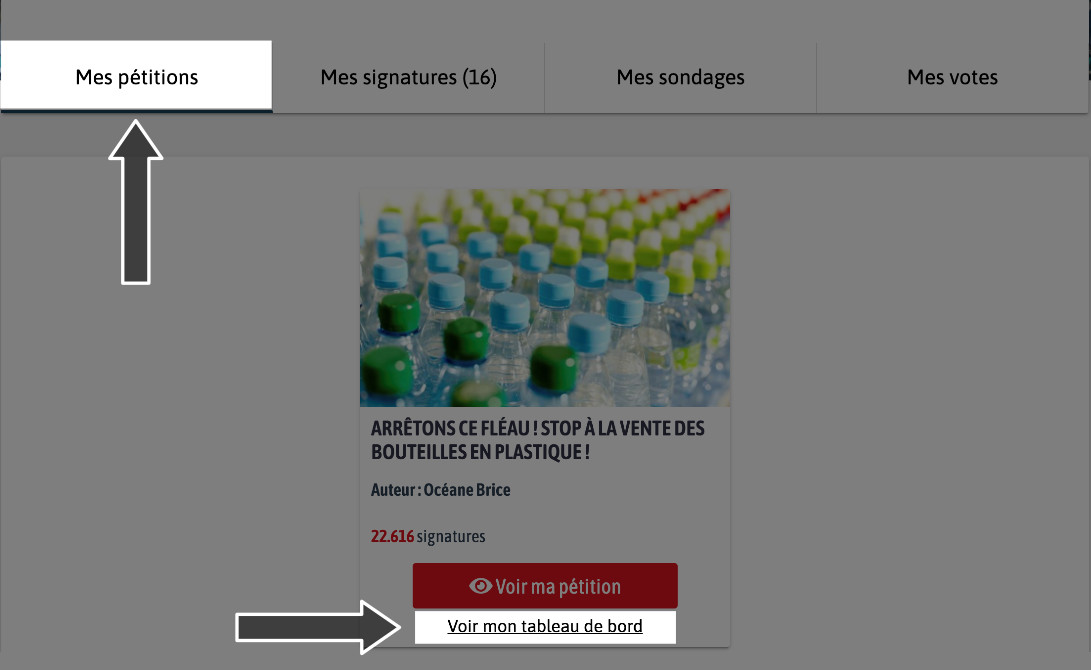
Para acessar seu painel, basta ir à sua conta na aba "Meu perfil". Em seguida, vá em "Minhas petições" e depois "Ver meu painel".

Comment enviar minha petição para meu círculo?
Você pode compartilhar sua petição nas redes sociais (Facebook, Twitter e Instagram) para que seu círculo possa se mobilizar também. Se você não usa as redes sociais, não hesite em transmitir sua mobilização por e-mail e a falar sobre isso ao seu redor.
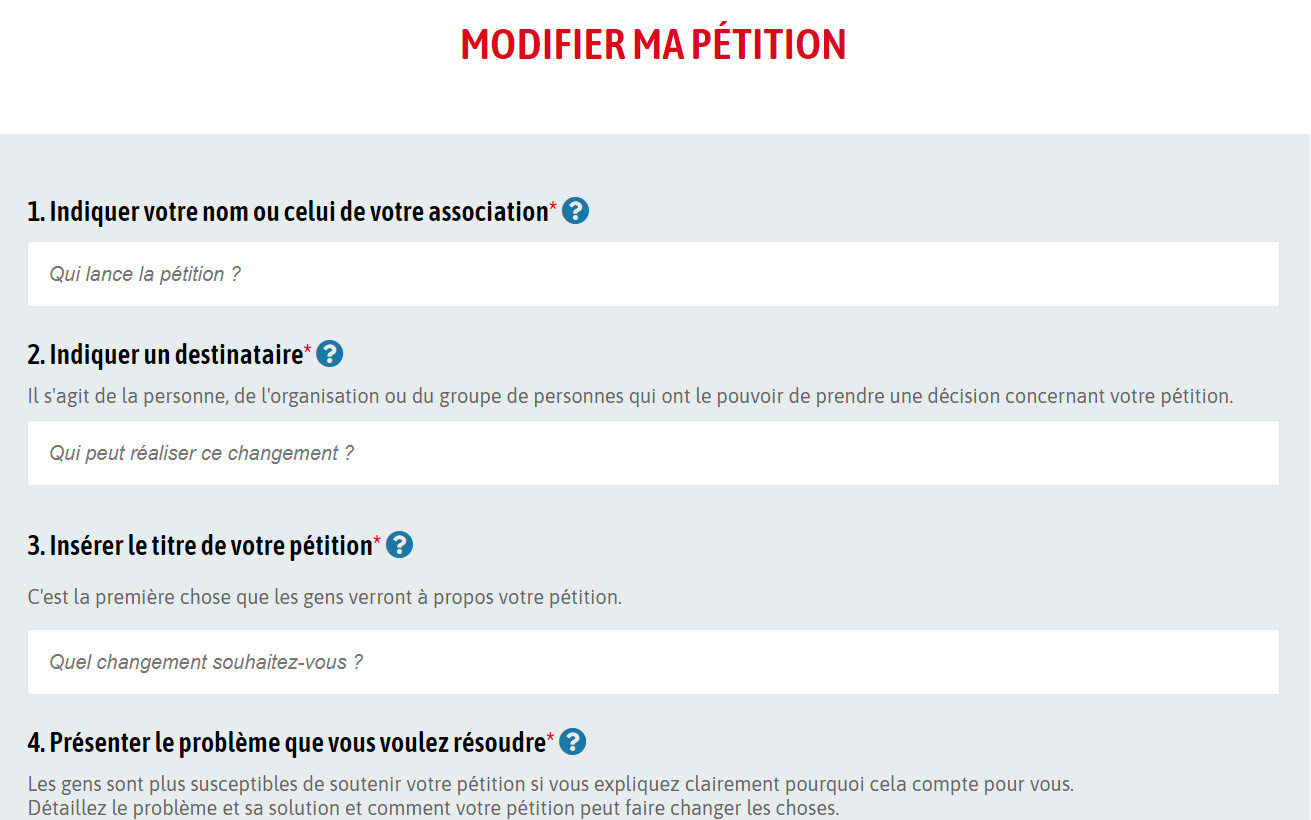
Para modificar sua petição, você pode se conectar em "Meu perfil". Você poderá visualizar todas as petições lançadas a partir da sua conta. Ao clicar em "Ver meu painel", você poderá realizar várias ações de gestão da sua petição. Atenção, uma vez que sua petição tiver coletado 10 assinaturas, você não poderá mais modificar o conteúdo.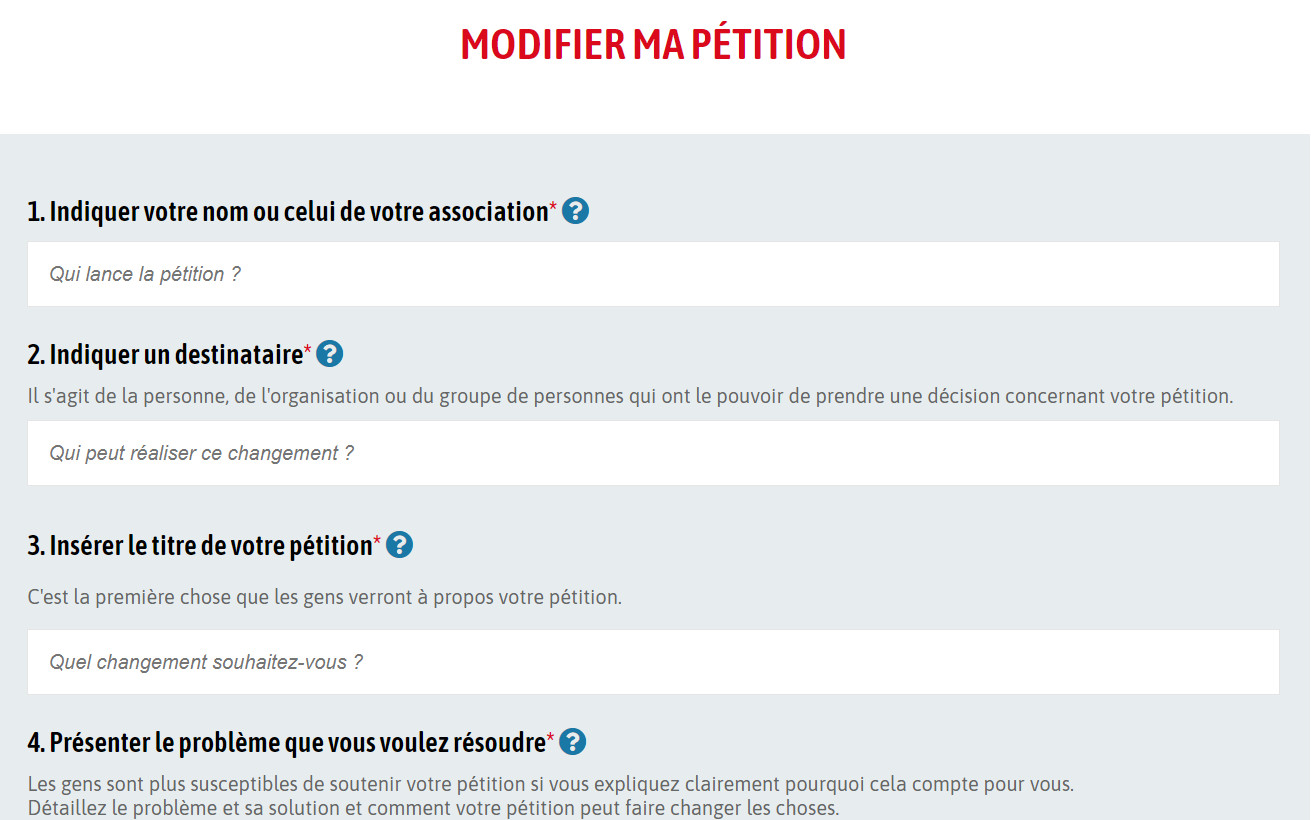
Sua petição ultrapassou 10 assinaturas, portanto você não pode mais fazer alterações significativas, por respeito ao compromisso de seus signatários com o texto inicial.
Sua petição está online em nosso site, mas ainda não ultrapassou a primeira etapa de mobilização: as 10 assinaturas. Uma vez que essa primeira etapa seja alcançada, sua petição será visível em nossas listas. Enquanto isso, você pode enviá-la por e-mail para seus contatos ou compartilhá-la em suas redes sociais.
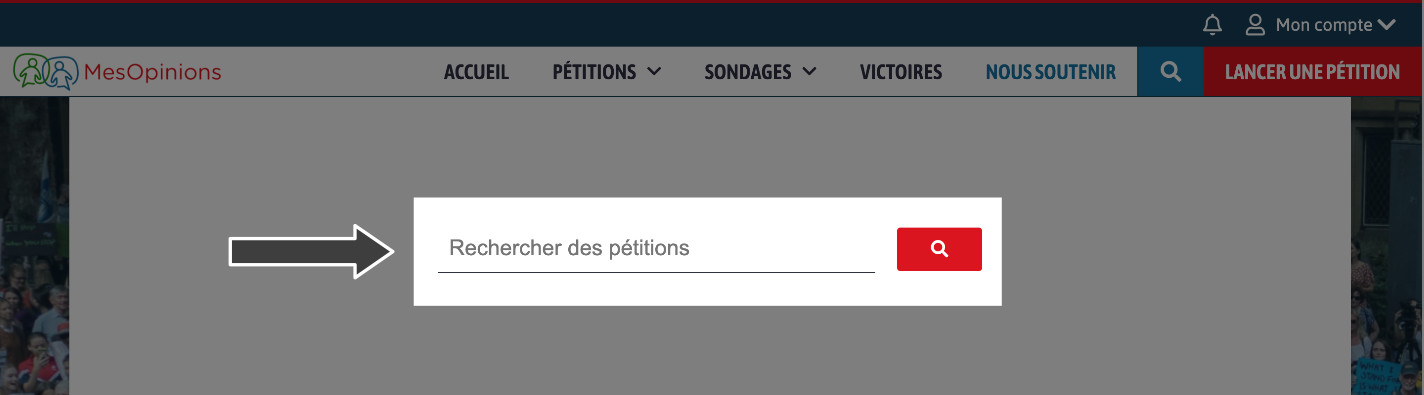
Várias dezenas de petições são criadas a cada dia em nossa plataforma. Estas são tratadas por ordem cronológica. Você poderá encontrar sua mobilização digitando uma palavra-chave ou os números correspondentes ao identificador de sua petição diretamente em nossa barra de pesquisa.
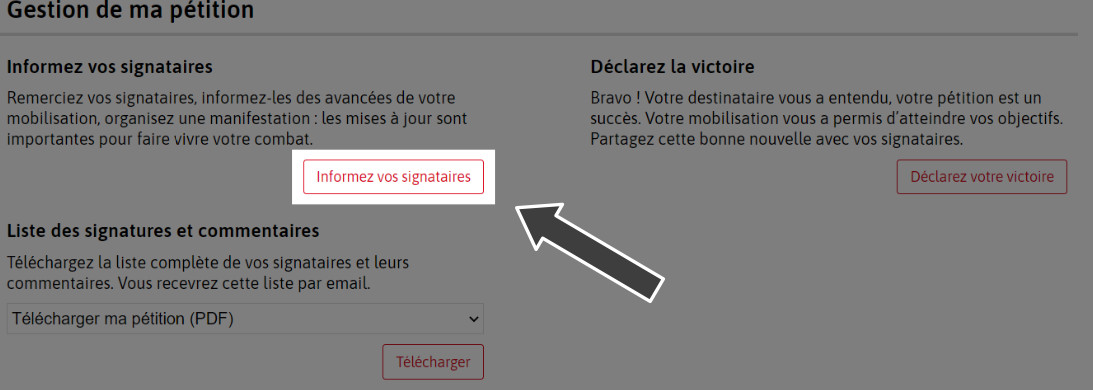
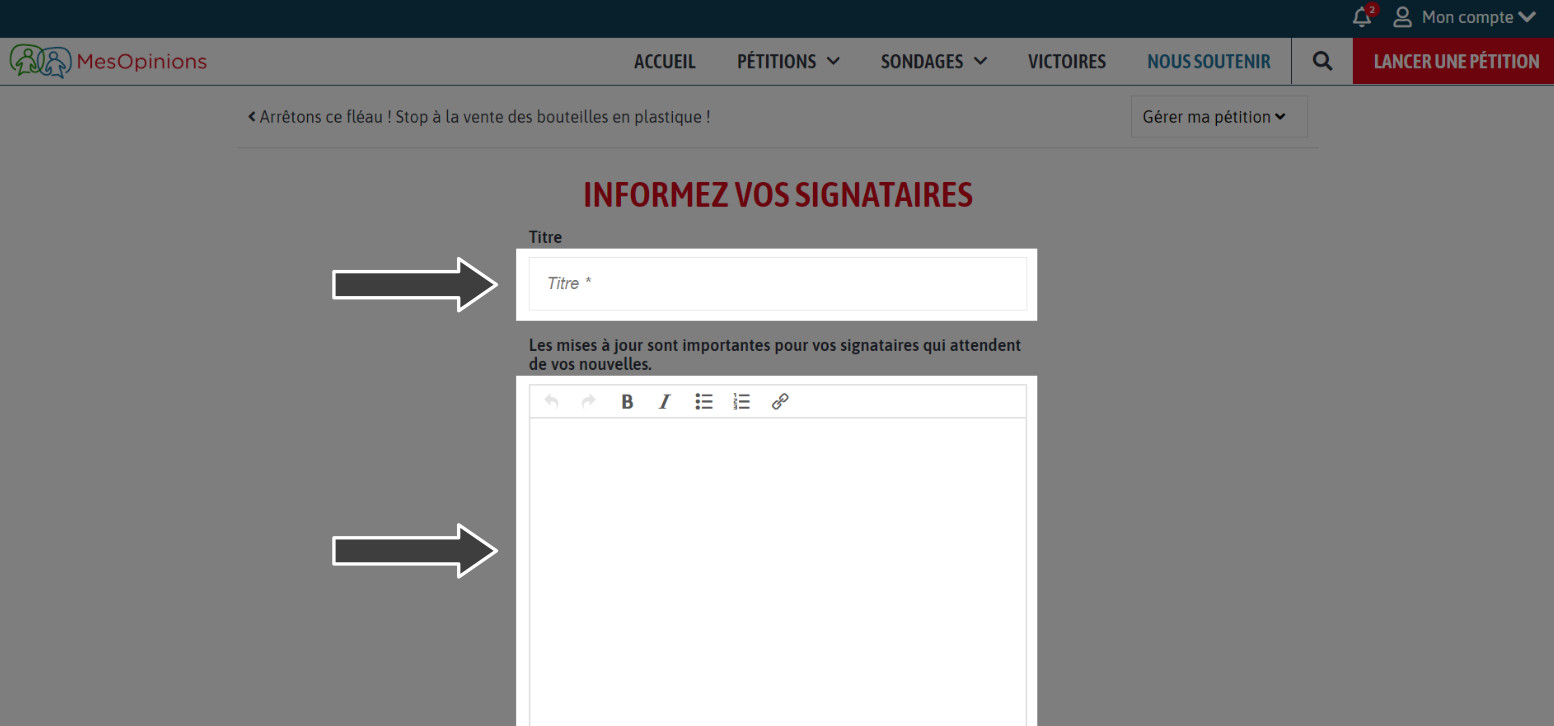
Seus signatários estão aguardando notícias suas após o compromisso com você nesta luta. Para isso, basta enviar uma mensagem aos seus signatários diretamente do seu espaço, acessando a aba "Minha conta", depois "Meu Perfil". Você poderá então clicar em "Ver meu painel". Você terá a possibilidade de ir em "Informar meus signatários". Em seguida, você poderá enviar uma mensagem a todos os signatários da petição. Cada mensagem enviada aos seus signatários deve conter informações importantes sobre sua mobilização cidadã, mas desaconselhamos o envio de várias mensagens na mesma semana.
As mensagens dos autores são sistematicamente moderadas e revisadas pela equipe MesOpinions.
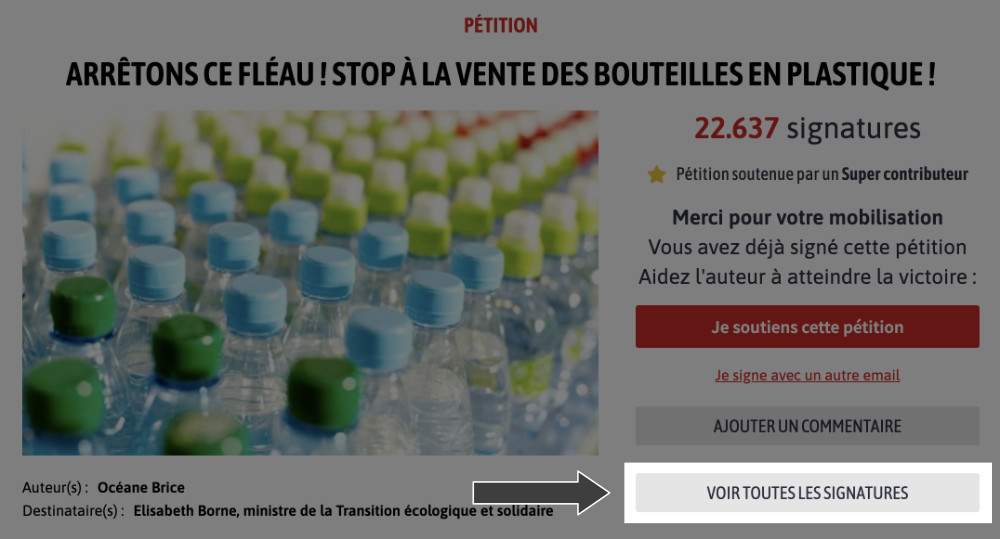
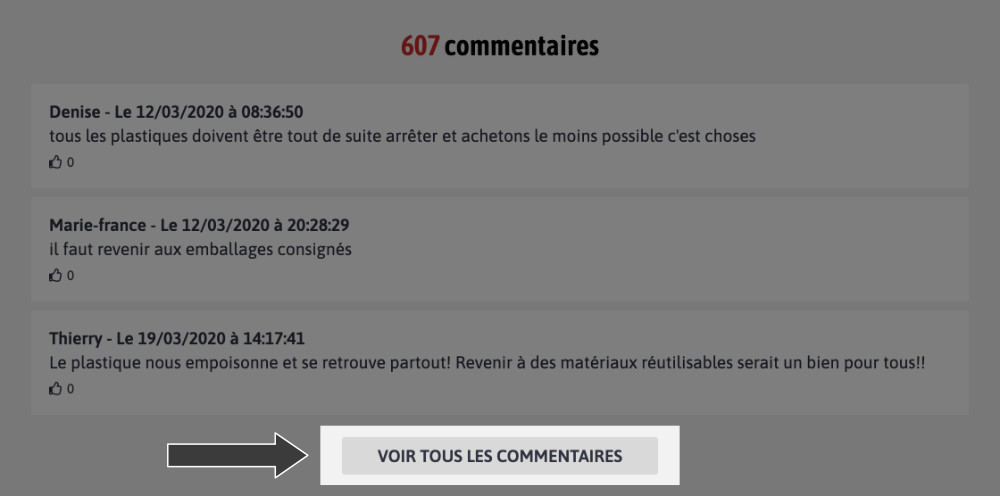
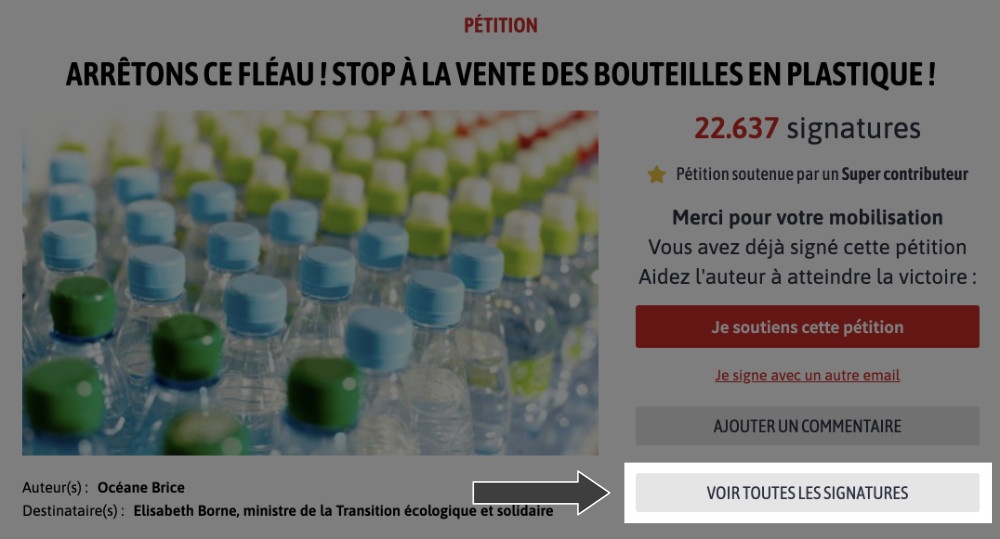
Para ver a lista de assinaturas ou comentários de uma petição, basta acessar diretamente a mobilização em questão e clicar na aba "Ver todas as assinaturas" ou "Ver todos os comentários".
De acordo com a lei de privacidade e proteção de dados pessoais, o endereço de e-mail não pode ser transmitido sem a autorização de seu proprietário. Portanto, você não tem acesso a esse dado pessoal.
De acordo com a lei de privacidade e proteção de dados pessoais, cada usuário é livre para registrar sua identidade e torná-la visível ou não durante sua assinatura. Algumas assinaturas são, então, anônimas.
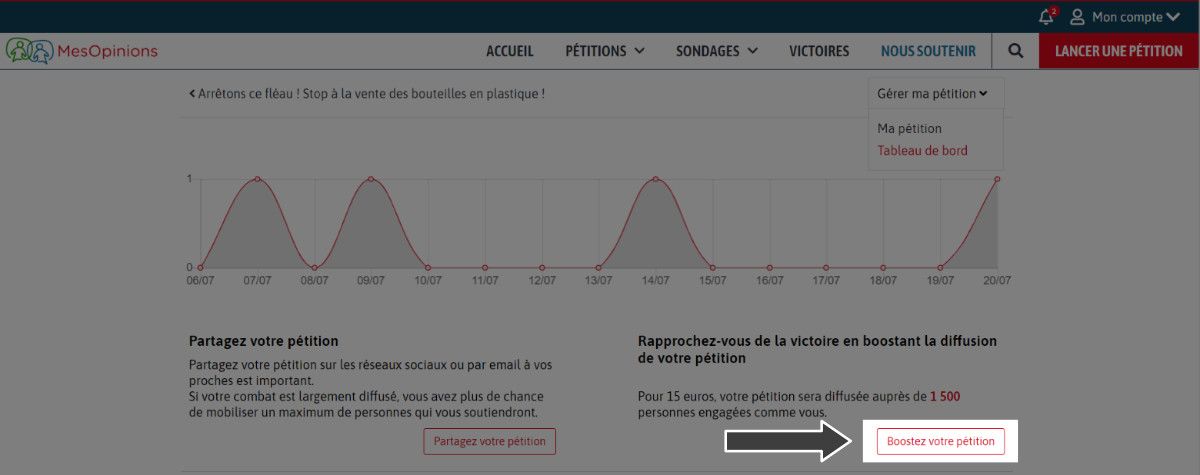
Você pode impulsionar sua campanha fazendo uma doação na sua petição. Você pode acessar essa funcionalidade a partir do painel de controle da sua petição: basta fazer login na nossa plataforma e ir para a página "Seu perfil". Todas as suas petições aparecerão e você terá a opção de clicar em "Ver meu painel de controle". Você poderá então usar diretamente a funcionalidade "Impulsione sua petição". Você só precisará escolher o valor da sua contribuição.
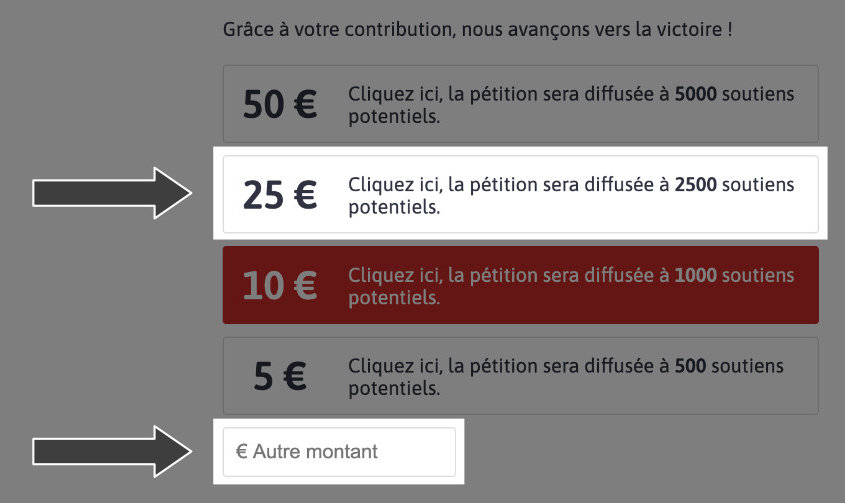
Como declarar a vitória da minha petição?
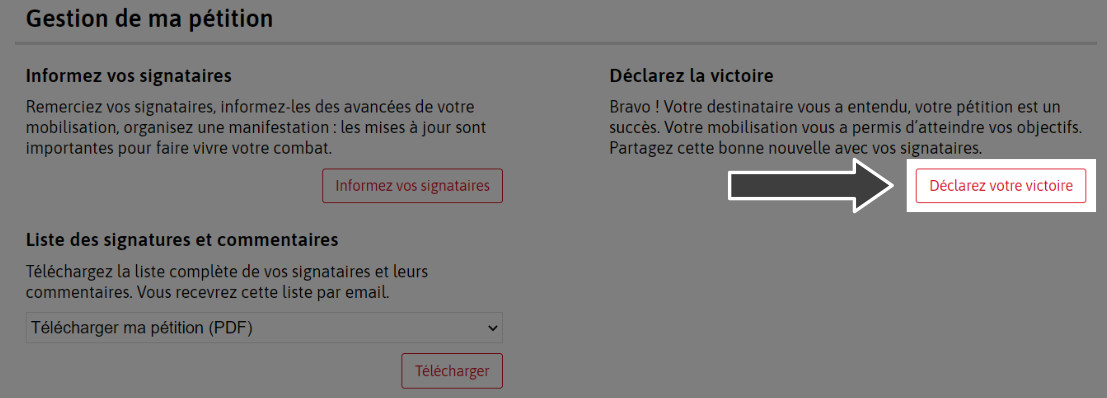
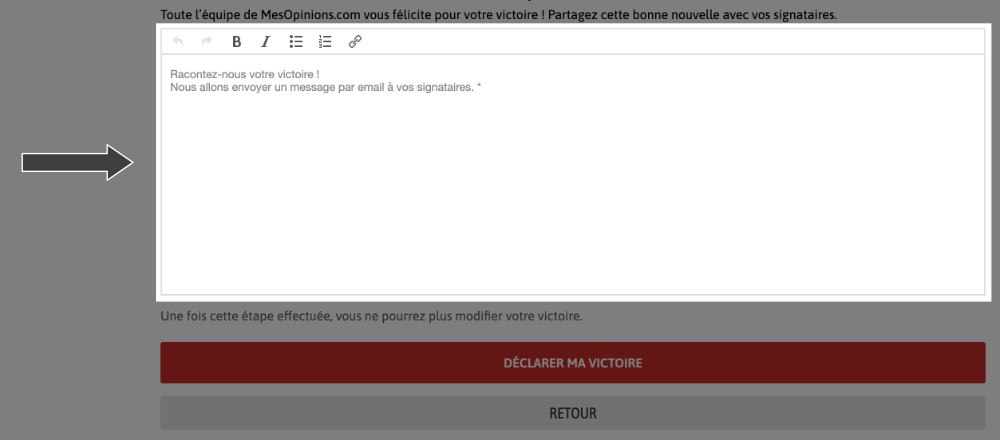
Para declarar a vitória de uma petição, basta criar sua vitória na sua conta de autor. Para isso, você deve ir em "Seu perfil". Você poderá então acessar "Ver meu painel de controle". Assim, você terá a possibilidade de "Declarar sua vitória". Resta então redigir seu texto de vitória. Esta mensagem de vitória deve conter um mínimo de caracteres para que possamos dedicar uma página na categoria "Vitórias" em nosso site, além de compartilhá-la com seus signatários.
Para remover uma mobilização, basta enviar seu pedido por e-mail para [email protected]. Devemos avisá-lo que toda remoção de mobilização é definitiva e irreversível. Uma vez realizada, você não terá mais acesso aos dados relacionados. As pessoas que acompanharam sua luta não poderão, então, conhecer o desdobramento de sua mobilização cidadã.
Ao assinar uma petição, você é registrado(a) entre os signatários da mesma, o que permitirá que você receba suas atualizações por e-mail ou notificação. Você também pode ver o progresso da mobilização de um autor acessando diretamente sua petição, na aba "Atualizações". Você será então redirecionado(a) para as diferentes atualizações dessa mobilização.

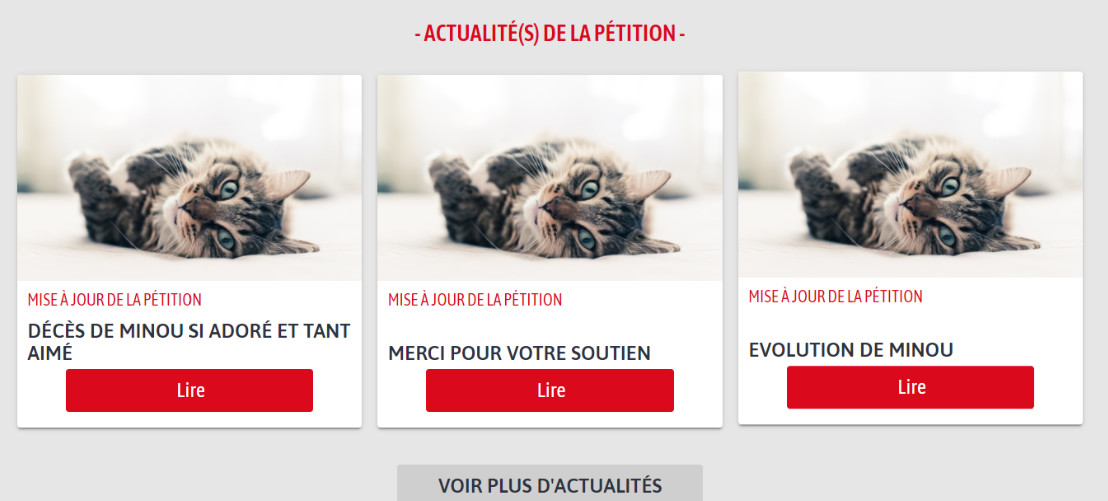
Se você deseja ver as outras assinaturas, basta clicar em "Ver todas as assinaturas" ao retornar à petição, uma vez que sua assinatura tenha sido validada.
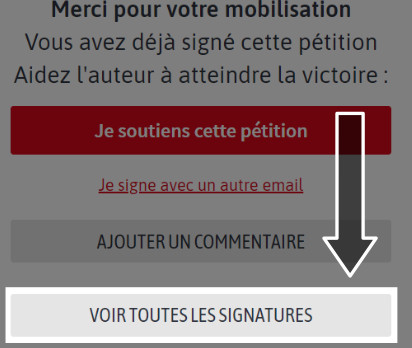
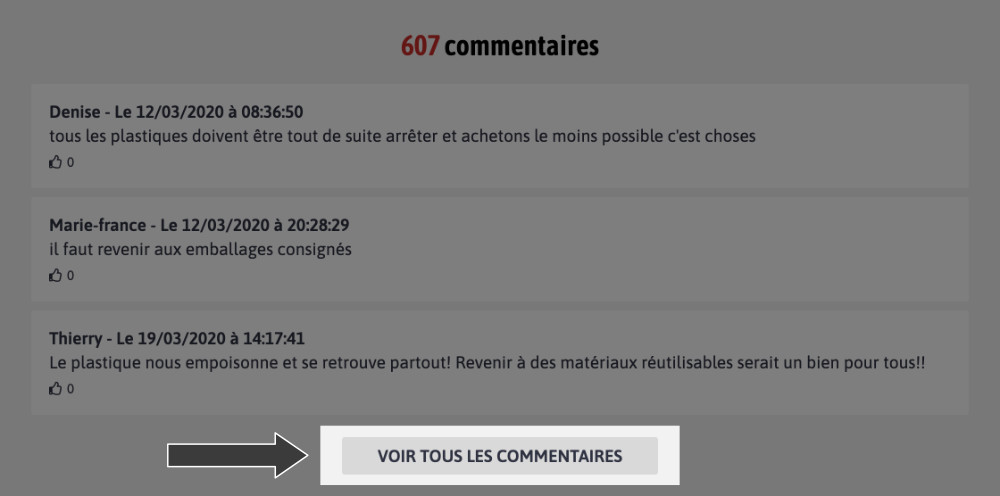
Se você deseja ver os outros comentários, basta clicar na aba "Ver todos os comentários", localizada na parte inferior da petição.
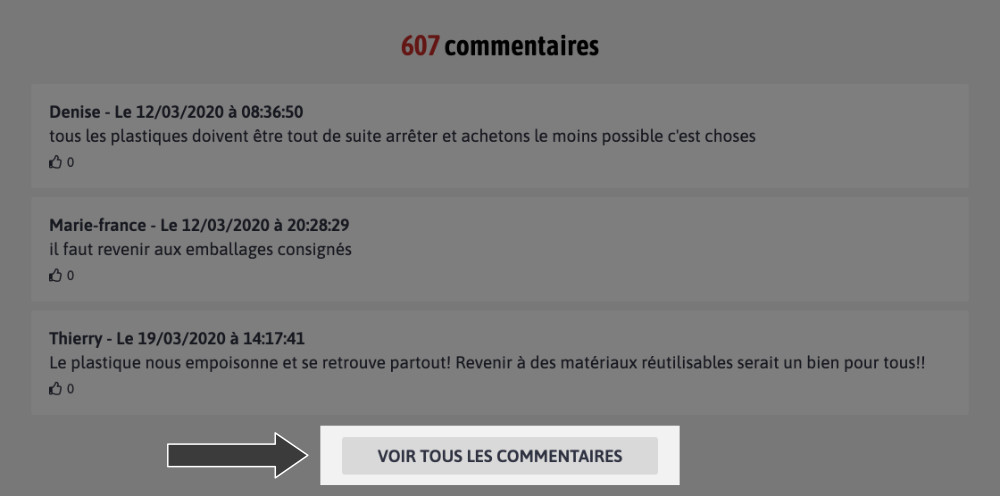
Como ler uma notícia?
Se você deseja ver as atualizações de uma petição, basta clicar na aba "Atualizações". Você poderá então visualizar as últimas mensagens enviadas pelo autor.
Como ver a data de uma petição?
A data de uma petição não é visível em nossa plataforma, pois algumas lutas, especialmente nacionais ou internacionais, podem durar vários anos antes de chegar à vitória.
De acordo com a lei, as informações pessoais do autor são confidenciais. No entanto, você pode nos enviar um e-mail para [email protected] com a mensagem que deseja transmitir ao autor, a petição em questão e seus dados de contato se desejar receber uma resposta.
De acordo com a lei, as informações pessoais do autor são confidenciais. No entanto, você pode nos enviar um e-mail para [email protected] com a mensagem que deseja transmitir ao autor, a petição em questão e seus dados de contato se você deseja receber uma resposta.
Como validar minha assinatura?
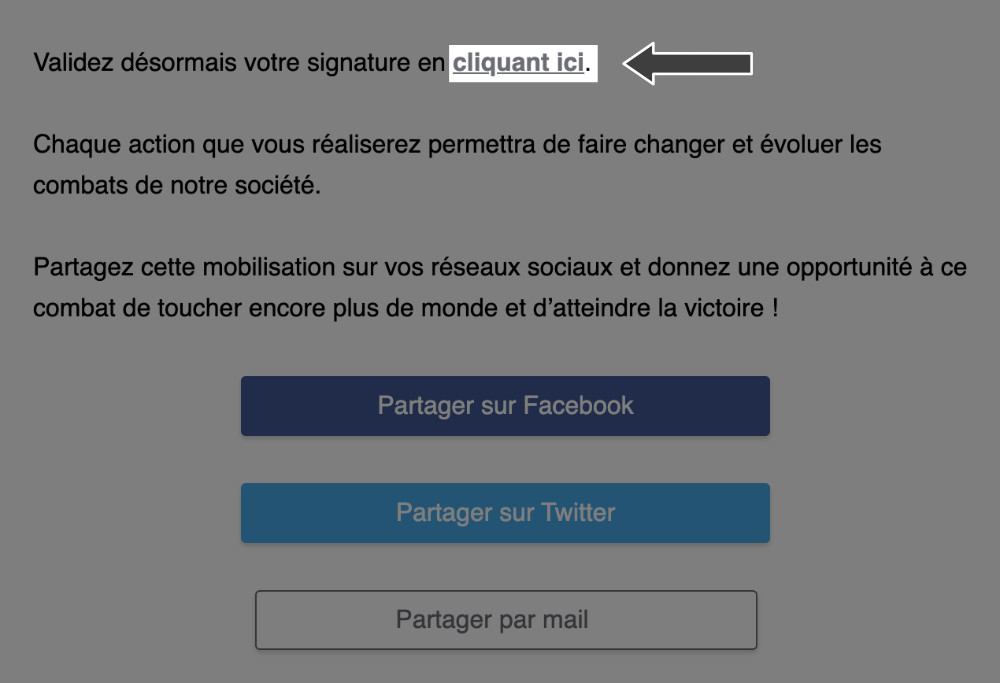
Quando você assina uma petição, um e-mail é enviado solicitando que você clique em um link para validar sua assinatura.
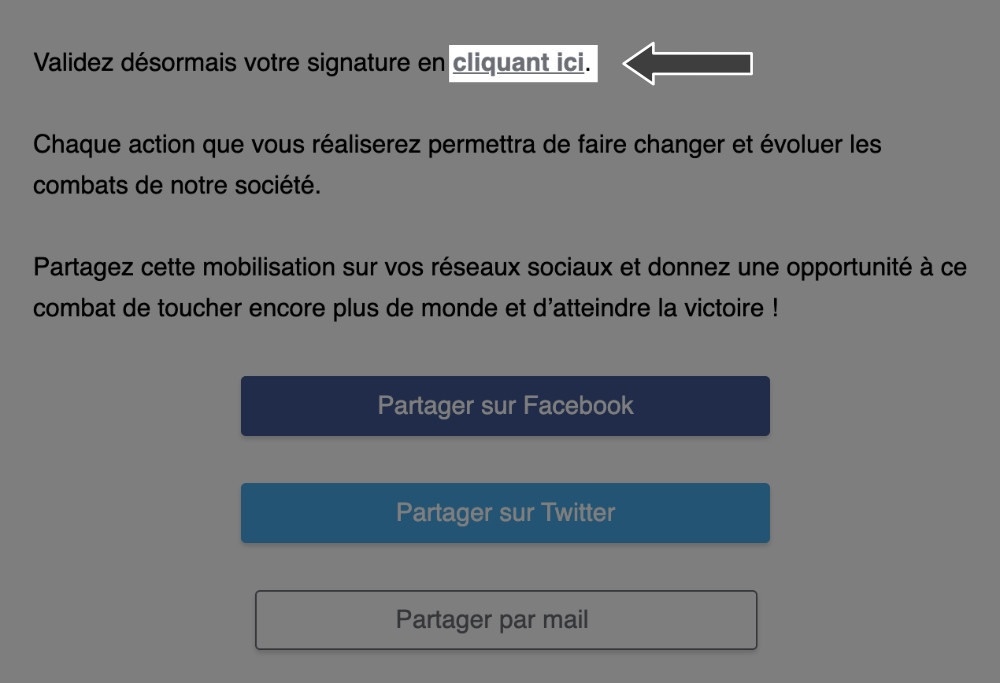
Se você não recebeu o e-mail de validação, siga estas etapas:
Se você não recebeu um e-mail de validação, verifique sua pasta de spam e veja se você não usou outra conta de e-mail. Em caso de dificuldades, não hesite em nos contatar através de: [email protected]. Faremos a validação da sua assinatura manualmente.
O que é um super contribuinte?
Um super contribuinte é uma pessoa que fez uma doação em uma petição para ajudar esta a alcançar a vitória.
As doações feitas em cada petição nos permitem impulsionar a publicação delas por meio de vários canais de divulgação (mailings, redes sociais). Cada doação permite que uma petição avance um pouco mais em direção à vitória. Você poderá encontrar todas as informações nesta página: Apoiar
Sim, a assinatura de uma petição é gratuita. A possibilidade de apoiar uma petição é opcional. Esse apoio excepcional permitirá ao autor divulgar sua petição para o maior número possível de pessoas através da nossa plataforma. Você encontrará todas as informações sobre doações nesta página: Apoiar
Agradecemos o interesse que você nos demonstra, assim como sua valiosa mobilização. Você pode fazer uma doação por cheque, endereçado a MesOpinions.com, para o seguinte endereço:
MesOpinions.com
6, rue de ladrié
59290 Wasquehal
Não hesite em nos informar para qual petição você deseja fazer a doação.
Pedimos desculpas, esse tipo de pagamento não está disponível. Você pode fazer uma doação por cheque ou através desta página: Apoiar
MesOpinions é uma plataforma privada de mobilização cidadã e não uma associação. As doações, portanto, não são dedutíveis do imposto de renda.
Pour manifester votre avis contraire sur une pétition, vous pouvez suivre ces étapes :
Il est important de rester respectueux et ouvert au dialogue lors de l'expression de votre désaccord.
MesOpinions é uma ferramenta de mobilização cidadã aberta a todas e todos. Uma petição é um local de mobilização cidadã e de
reunião.
Portanto, não é possível manifestar uma opinião contrária a uma petição. Você pode, se desejar, lançar sua petição em nosso
site para expressar sua opinião: Criar minha petição
Eu quero comentar sem assinar
Você só pode comentar uma petição que não assinou para garantir o compromisso dos signatários com uma petição.
Comment assinar anonimamente?
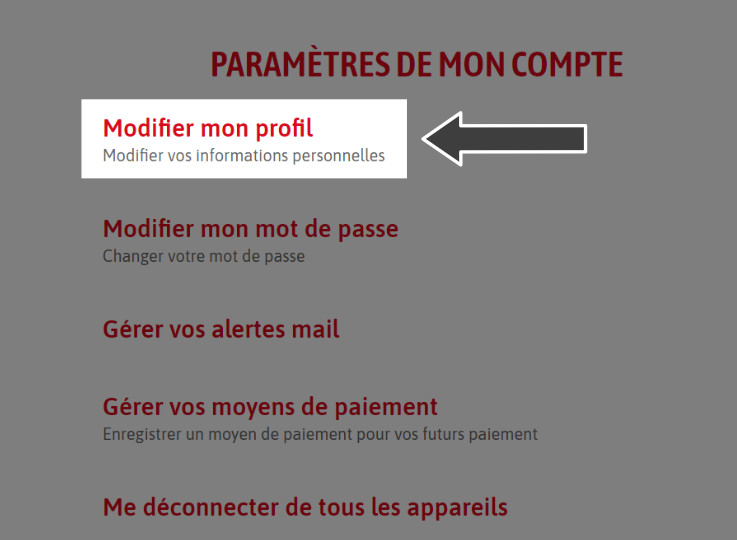
Para assinar anonimamente, basta clicar em "Minha conta" e escolher a aba "Configurações". Você poderá então acessar a seção "Modificar meu perfil". Não restará mais nada a fazer, a não ser escolher as informações que aparecem quando você assina.
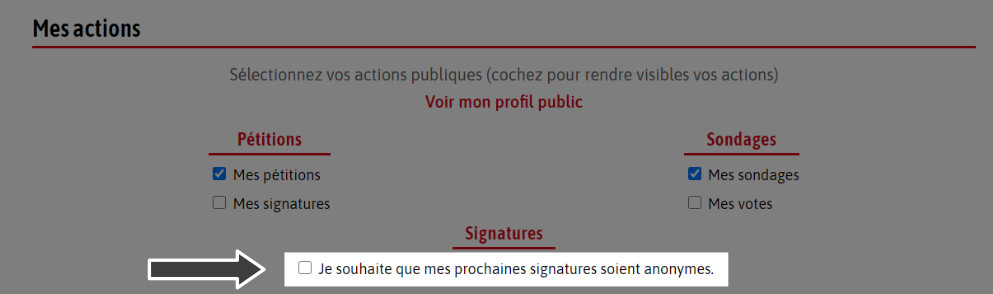
Você pode, em particular, marcar a opção "Desejo que minhas próximas assinaturas sejam anônimas".

Como posso remover minha assinatura?
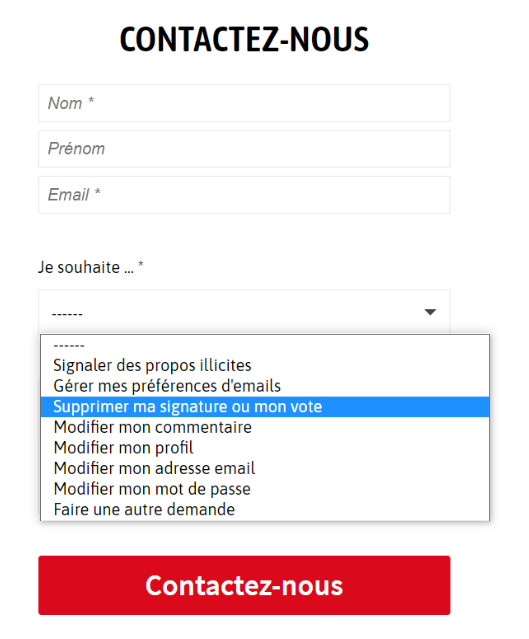
Para remover sua assinatura, você pode ir na aba "Remover minha assinatura" diretamente através deste link Contato. Se você não conseguir, pode nos contatar pelo e-mail: [email protected]
Para excluir meu comentário?
Para excluir seu comentário, basta nos enviar um e-mail para [email protected] informando a petição relacionada ao seu pedido para que possamos proceder com a remoção.
MesOpinions é uma plataforma de mobilização cidadã que permite fazer ouvir a voz de cada um. No entanto, se a petição em questão não respeitar nossos termos e condições de uso, não hesite em nos enviar um e-mail para [email protected].
Se você encontrar um problema técnico relacionado à assinatura de uma petição, não hesite em nos contatar em [email protected]
Se você encontrar um problema técnico ao adicionar um comentário a uma petição, não hesite em nos contatar em [email protected]
Pour signaler des commentaires injurieux, vous pouvez suivre ces étapes :
Nous prenons ces signalements très au sérieux et nous nous engageons à maintenir un environnement respectueux.
Um sistema de denúncia de publicações e comentários que se enquadram nesse contexto está disponível para os usuários na forma de um botão "Denunciar abuso" ao lado de cada comentário. Também pode ser comunicado por e-mail para [email protected].

MesOpinions é uma plataforma que tem como ideologia uma democracia participativa e digital. Além disso, nossa equipe trabalha a serviço da sua liberdade de expressão. No entanto, existem condições gerais de uso que convidamos você a consultar para conhecer os conteúdos que moderamos: Termos legais
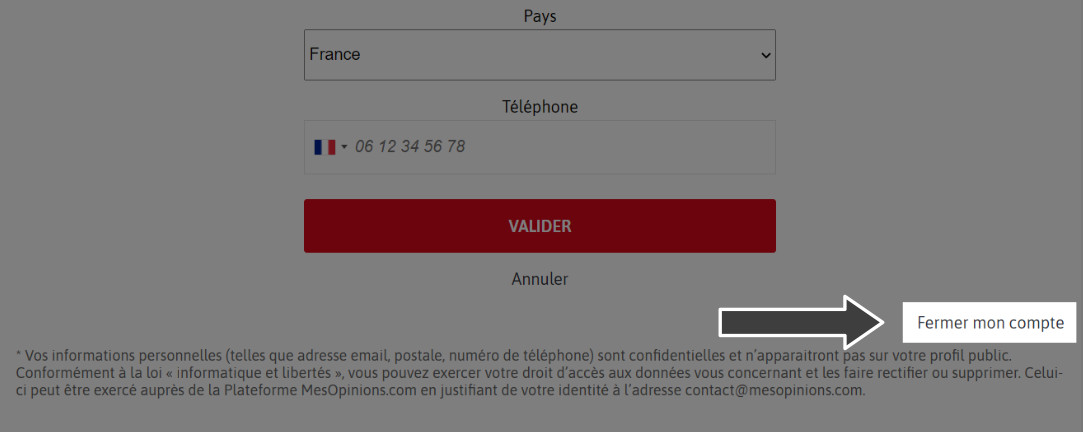
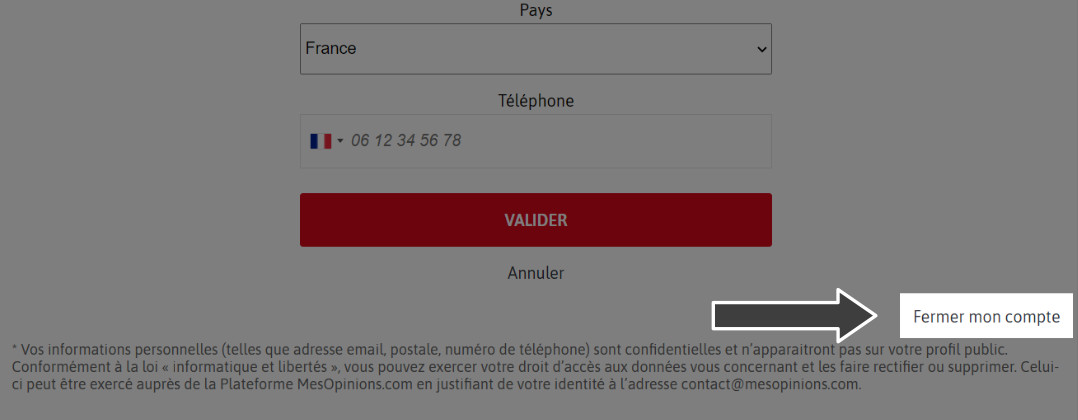
Você pode excluir/fechar sua conta acessando-a pela nossa plataforma. Para isso, basta clicar em "Minha conta", depois em "Configurações". Em seguida, você deve ir à seção "Modificar meu perfil". Haverá, então, no canto inferior direito, a opção de marcar "Fechar minha conta".
Você pode seguir um autor de petição para receber todas as suas atualizações. Ao clicar em "Seguir este autor", você será informado quando novas petições forem publicadas por ele. Você pode cancelar essa notificação a qualquer momento.
Pour signer une pétition, suivez ces étapes :
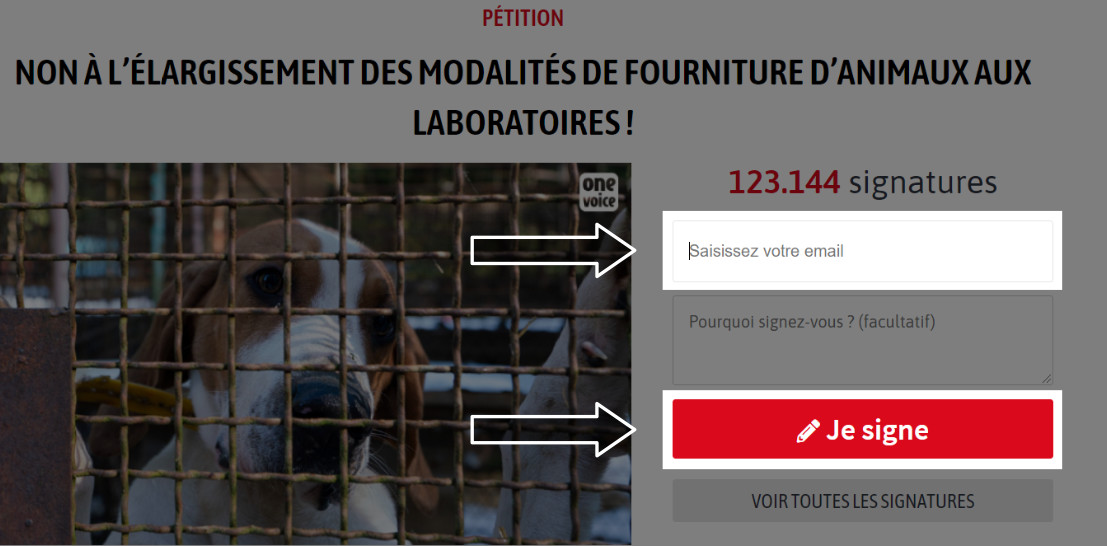
Quando você deseja assinar uma petição, basta digitar seu e-mail no campo "Digite seu e-mail", e então clicar no botão "Eu assino", localizado no canto superior direito da petição. Você receberá um e-mail de validação da sua assinatura, basta clicar no link previsto para isso, a fim de validar definitivamente sua assinatura.
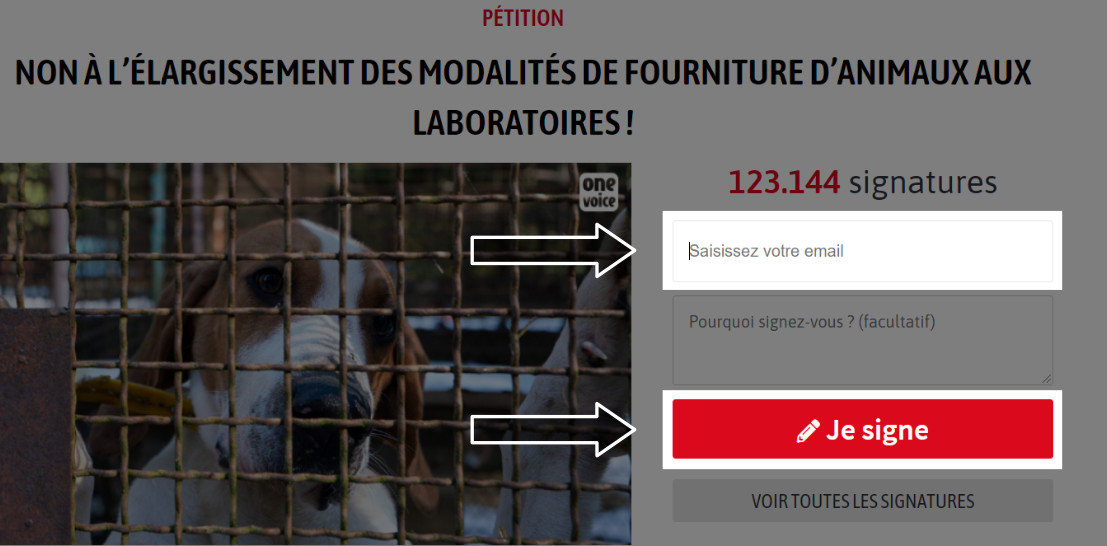
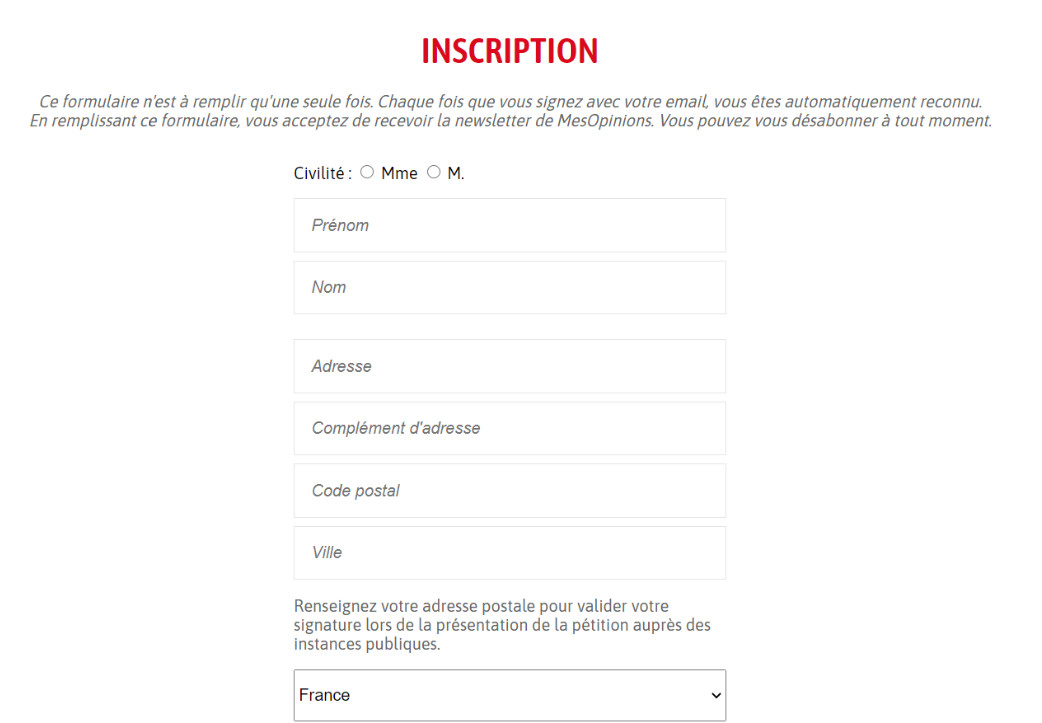
Assim que você assina uma petição ou vota em uma pesquisa, um formulário de inscrição de usuário a ser preenchido é aberto e você se inscreve por padrão no MesOpinions.
Como ver meu perfil?
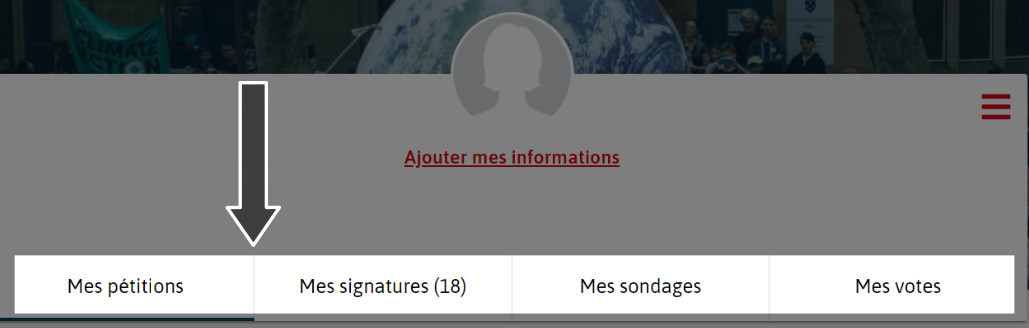
Para acessar seu perfil, basta ir na aba "Minha conta", depois "Meu perfil". Você poderá encontrar suas petições criadas, as assinaturas que você fez, suas enquetes e os votos que você realizou.

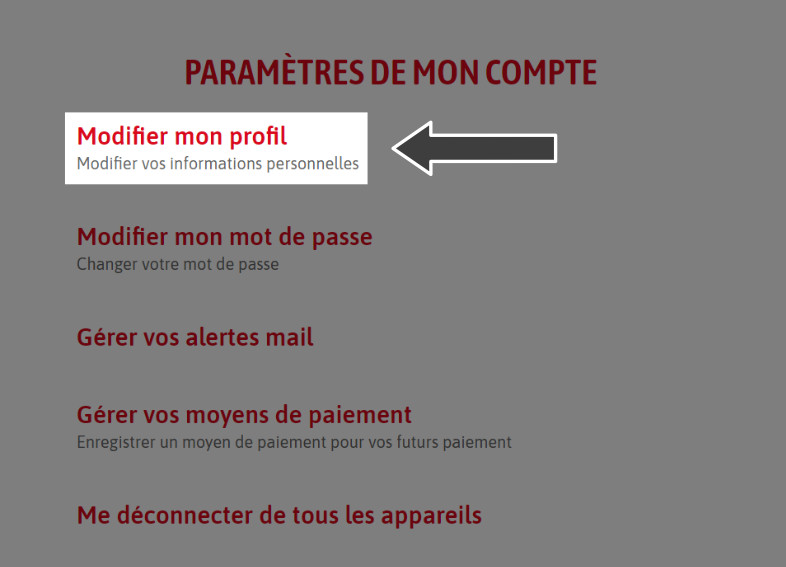
Para modificar suas informações pessoais, basta ir na aba "Minha conta" e depois em "Configurações". Você poderá então acessar "Editar meu perfil". Em seguida, basta fazer as alterações desejadas.

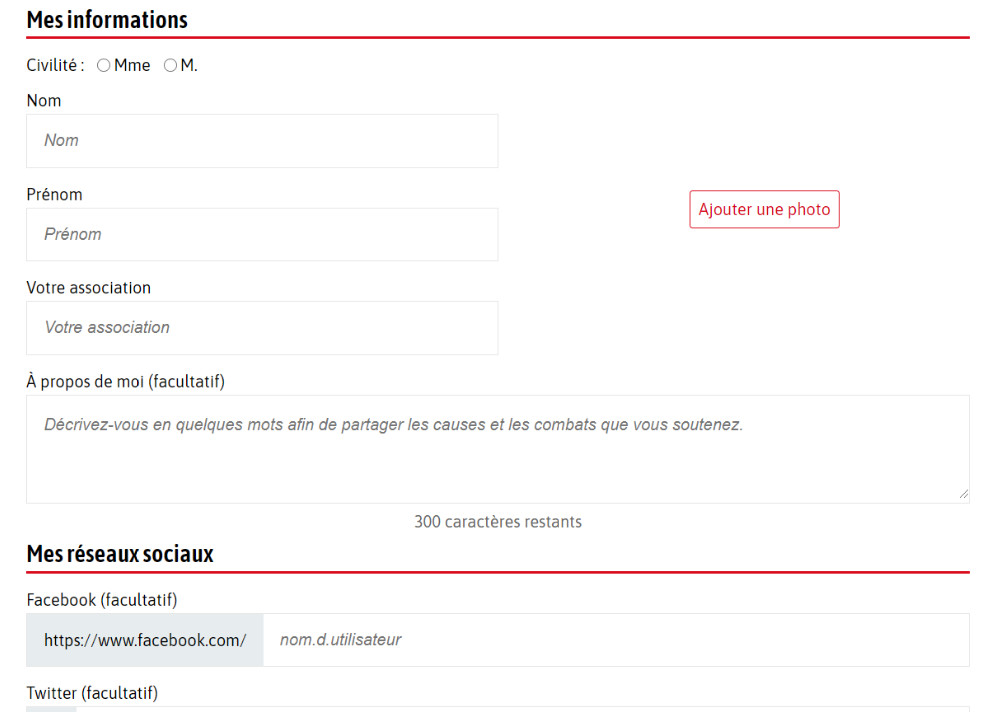
Como posso modificar meu endereço de e-mail?
Você não pode modificar seu endereço de e-mail diretamente. Portanto, não hesite em nos enviar um e-mail para [email protected] para que possamos proceder com a alteração.
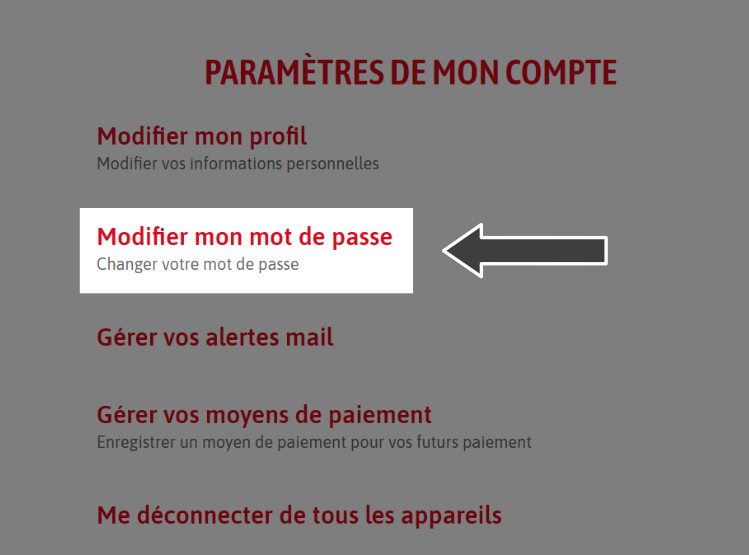
Como modificar minha senha?
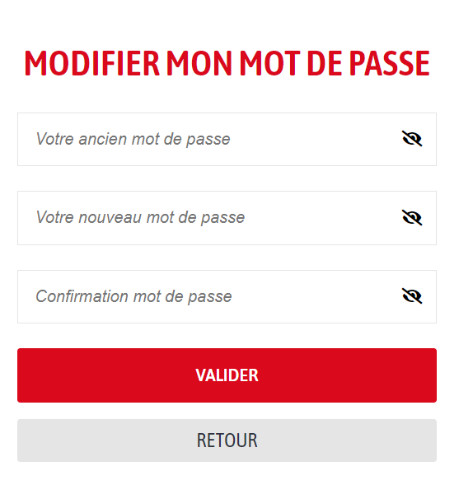
Para modificar sua senha, basta ir na aba "Minha conta" e depois em "Configurações". Você poderá então clicar em "Modificar minha senha". Em seguida, basta inserir sua senha antiga e escolher uma nova.
Para gerenciar suas preferências de e-mail, basta ir na aba "Minha conta" e depois em "Configurações". Em seguida, você deverá clicar na aba "Gerenciar seus alertas de e-mail". Você poderá então selecionar os e-mails que deseja continuar recebendo.
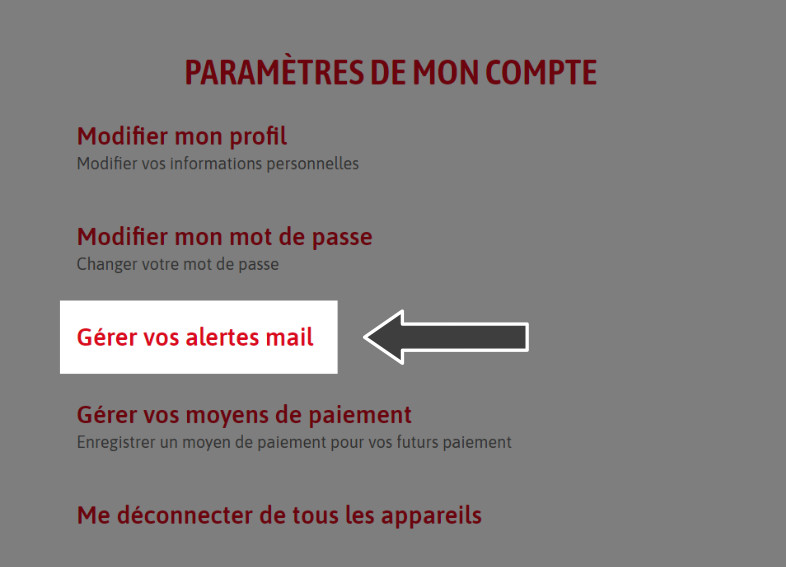
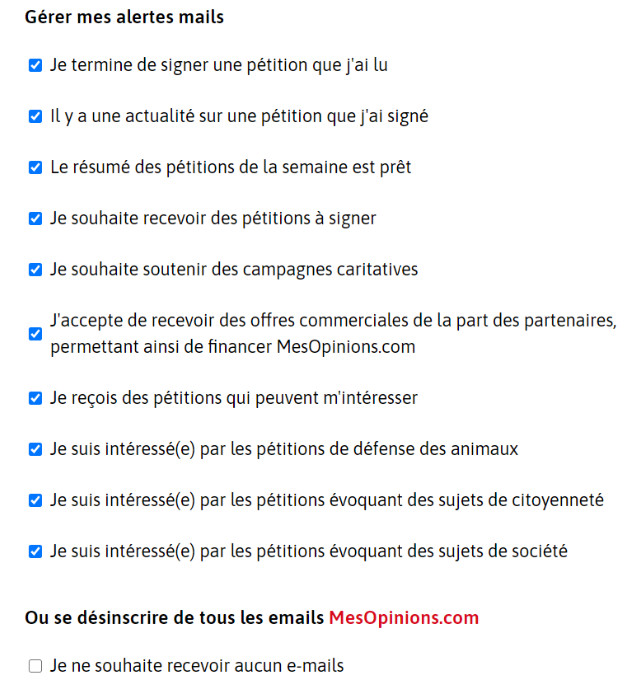
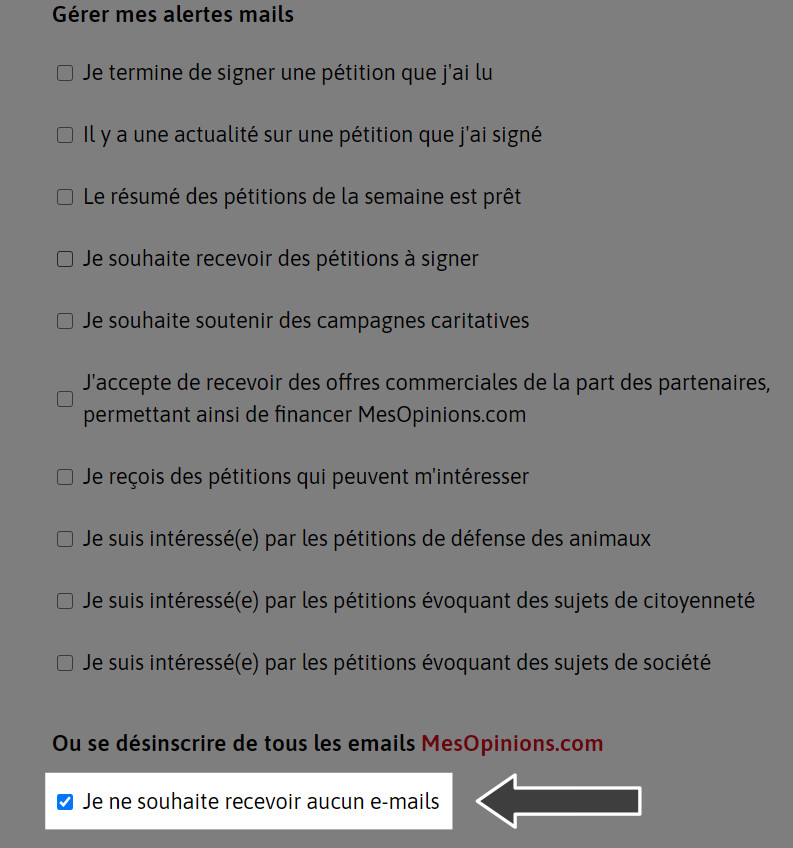
Para se descadastrar, basta ir na aba "Minha conta" e depois em "Configurações". Em seguida, você deve clicar na aba "Gerenciar seus alertas por e-mail". Então, só restará marcar "Não desejo receber nenhum e-mail".
Como fechar minha conta?
Você pode excluir/fechar sua conta conectando-se a ela através de nossa plataforma. Clique em "Minha conta", depois em "Configurações". Em seguida, vá para a seção "Editar meu perfil". Haverá, então, a possibilidade de marcar, no canto inferior direito, "Fechar minha conta".
MesOpinions, c’est une plateforme où les utilisateurs peuvent partager leurs avis et opinions sur divers sujets.
Criada em 2006, nossa plataforma cidadã se coloca a serviço da democracia participativa. Ajudamos e acompanhamos todos os autores de petições até a vitória.
Não importa sua mobilização, seja ela local, nacional ou até internacional: nossa equipe faz todo o possível para ajudá-lo a defender seus valores.
Como sinalizar uma petição (difamação, injúria, troll, ...)?
Se você notar que uma petição não respeita nossos termos e condições de uso, você pode nos informar sobre seu conteúdo através deste formulário: Contato
Pour signer une pétition, suivez ces étapes :
Quando você deseja assinar uma petição, basta digitar seu e-mail no campo "Digite seu e-mail", e então clicar no botão "Eu assino", localizado no canto superior direito da petição. Você receberá um e-mail de validação da sua assinatura, basta clicar no link previsto para isso, a fim de validar definitivamente sua assinatura.
Para modificar sua petição, você pode se conectar em "Meu perfil".
Você poderá então visualizar todas as petições lançadas a partir da sua conta. Em cada uma delas, aparece
"Ver meu painel de controle". Assim, você poderá realizar várias ações de gestão da sua petição. Você poderá,
então, modificar sua petição quando esta ainda não tiver ultrapassado as 10 assinaturas.


Seus signatários estão aguardando notícias suas após o compromisso com você nesta luta.
Para isso, basta enviar uma mensagem aos seus signatários diretamente do seu espaço, acessando a aba "Minha conta", depois "Meu Perfil". Você poderá então clicar em "Ver meu painel". Você terá a possibilidade de ir em "Informar meus signatários".
Você poderá então enviar uma mensagem aos seus destinatários. Cada mensagem enviada aos seus signatários deve conter informações importantes sobre sua mobilização cidadã, mas desaconselhamos o envio de várias mensagens na mesma semana.
Sua petição está online em nosso site, mas ainda não ultrapassou a primeira etapa de mobilização: as 10 assinaturas. Uma vez que essa primeira etapa seja alcançada, sua petição será visível em nossas listas. Enquanto isso, você pode enviá-la por e-mail para seus contatos ou compartilhá-la em suas redes sociais.
Para ver a lista de assinaturas ou comentários de uma petição, basta acessar diretamente a mobilização em questão e clicar na aba "Ver todas as assinaturas" ou "Ver todos os comentários".
Você pode compartilhar sua petição nas redes sociais (Facebook, Twitter, Instagram, WhatsApp...) para que seu círculo possa se mobilizar também. Se você não usa redes sociais, não hesite em transmitir sua mobilização por e-mail e a falar sobre isso com as pessoas ao seu redor.
Se você encontrar um problema técnico ao assinar uma petição, não hesite em nos contatar em [email protected]
Pour lancer une pétition, suivez ces étapes :
Bonne chance dans votre démarche !
MesOpinions é uma ferramenta de mobilização cidadã aberta a todos. Ela permite que cada cidadão inicie sua luta e interpele a opinião pública. Se desejar, você pode iniciar sua petição clicando aqui: Criar minha petição